
By Ehtijad Ali
Updated: October 2026
Reading time: about 9 minutes
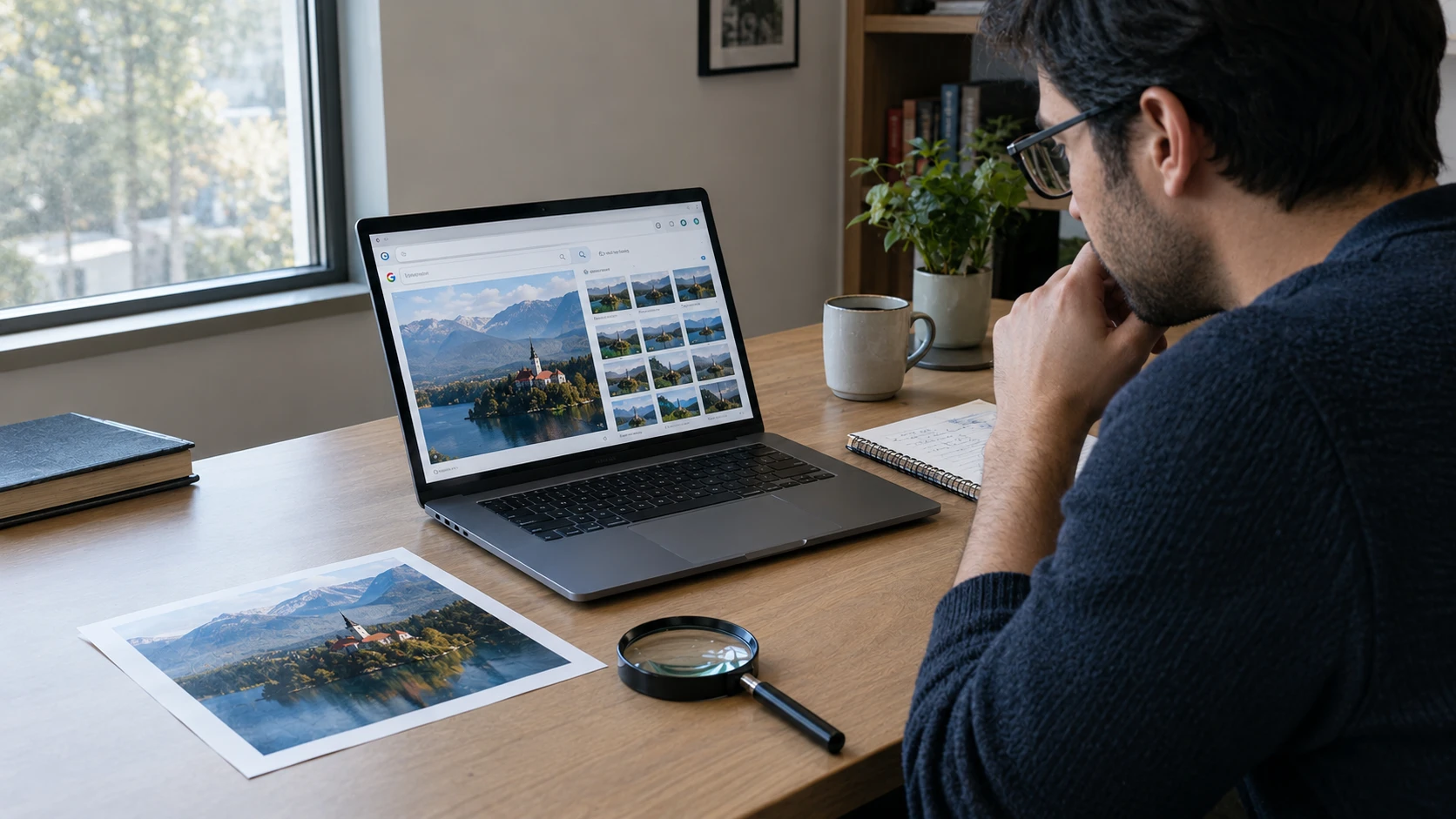
You see a photo on Facebook, Instagram, or a news website. It looks real, but something feels wrong. Maybe a person’s hands look strange, the writing makes no sense, or the background looks too perfect.
Could it be made with artificial intelligence (AI)?
Learning how to tell if an image is AI-generated can help you avoid fake news, scams, and misleading posts. The good news is that you can check several things yourself without being a computer expert.
However, there is one important fact to remember: AI tools can now create very realistic pictures. Real photos can also have strange details because of editing, poor lighting, or camera problems. That means you should never judge an image by one clue alone.
In this guide, you will learn seven simple ways to check an image, use free search tools, understand AI detection results, and decide what you can honestly say about a picture.
What is in this guide?
1. Look for visual clues in the image
One way to learn how to tell if an image is AI-generated is to look closely at small details. Zoom in on the picture and check the parts that should look normal in a real scene.
Check hands, fingers, and faces
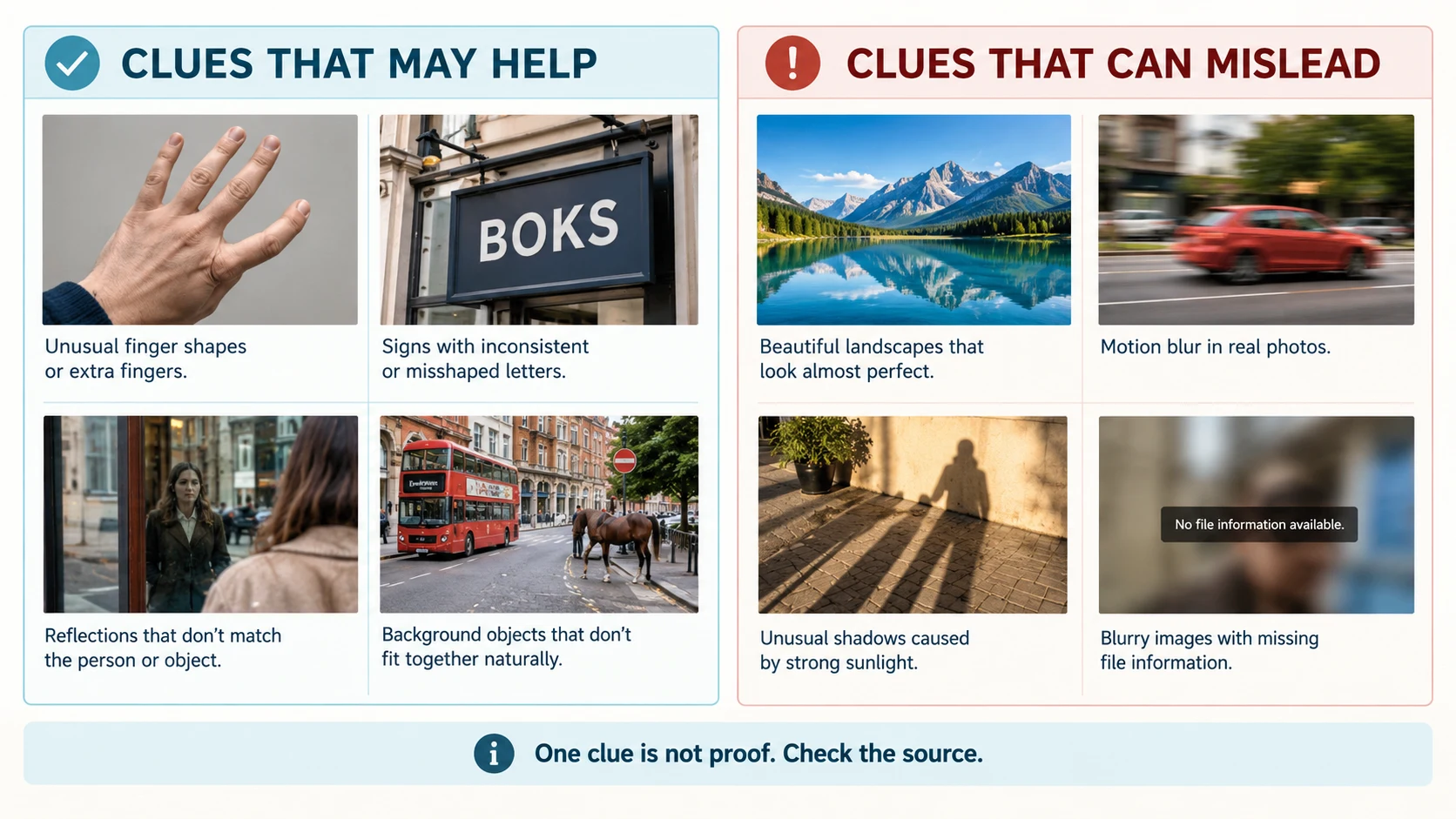
Some AI images have unusual hands, extra fingers, bent fingers, or fingers that seem to join together. You may also notice strange teeth, uneven earrings, or glasses that do not fit the face.
But these signs are not proof. Real photographs can also make hands look strange because they are moving, hidden, or partly covered. Newer AI image tools can create hands and faces that look correct.
Read the text inside the picture
Look at signs, shop names, book covers, labels, and words printed on clothes. Some AI tools create letters that look almost right but make no sense when you read them.
For example, a shop sign may look like it says “MARKET,” but one letter may be twisted or replaced with a strange shape. Check the whole sign instead of looking at just one letter.
Keep in mind that text can also look wrong in a real photo because the image is blurry, small, or compressed.
Look at reflections and shadows
Mirrors, windows, shiny cars, and water can reveal useful clues. Ask yourself: Does the reflection match the object? Does the shadow fall in a direction that makes sense? Do people standing near each other appear to have the same light source?
An AI image may show a reflection that does not match a person’s face or a shadow that points the wrong way. Yet real cameras, bright lights, and editing can also create confusing results. Treat these details as questions to investigate, not as a final answer.
Study the background and small objects
Look behind the main subject. Check buildings, windows, jewellery, fingers holding objects, road signs, and items on a table. Sometimes a picture looks normal at first, but smaller details do not fit together.
For example, a chair might seem to blend into a table, or a building might have windows arranged in an unusual pattern. These details can happen in AI images, but unusual design alone does not prove anything.
2. Find where the image first appeared
One of the best ways to check a suspicious image is to find its earlier appearances online. This is called reverse image search. Instead of searching with words, you search using the picture itself.
Try these simple steps:
- Save the image or copy its image address, if you can do so safely.
- Open Google Lens and upload the picture or search with it.
- Check the results for older versions, original websites, news reports, or matching pictures.
- Repeat the search with another service, such as TinEye.
- Open useful results and check their dates, captions, and sources.
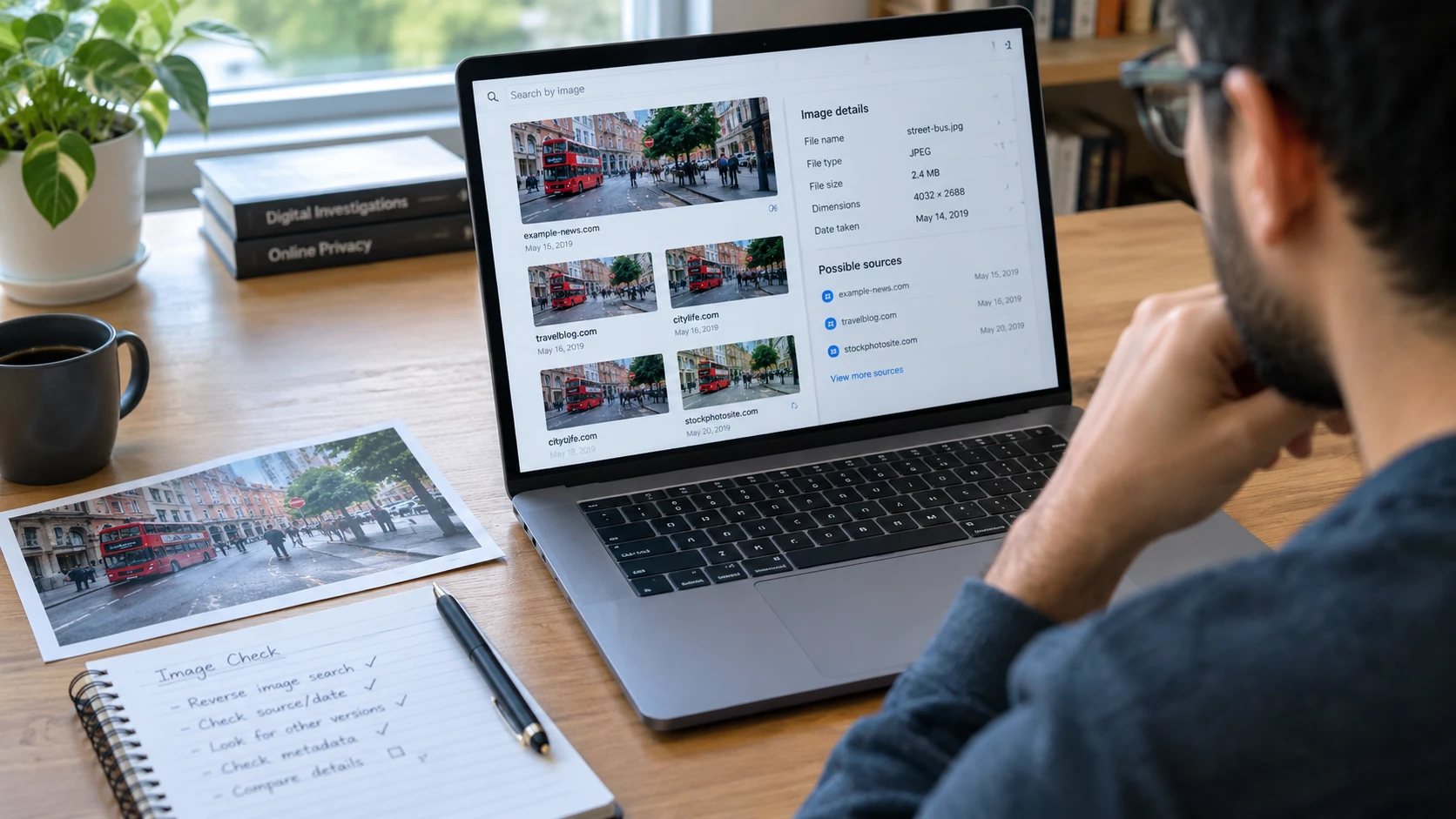
For example, a viral picture may claim to show a flood that happened today. A reverse image search might reveal that the same picture appeared online years ago with a different location or story.
That does not automatically mean the picture is AI-generated. It may be a real photograph used with a false caption. Finding the earliest source you can verify helps you understand the image’s history.
For more investigation tips, read our guide to free OSINT tools for beginners. You can also follow Bellingcat’s guide to reverse image search for more ways to find an image’s source.
3. Check Content Credentials and image labels
Some image files contain extra information about how they were created or edited. One system for recording this information is called Content Credentials, based on the C2PA standard.
Think of Content Credentials as a record attached to a digital file. Depending on the system used, this record may show the software involved, whether AI was used, and how the image changed over time.
To investigate an image, try the Content Credentials verification tool. Upload the original image file when possible and read the information it returns.
Here is the important part: not every image has Content Credentials. Some files lose their information when they are edited, downloaded, converted, or shared on social media. Other images may never have had these records.
A valid record can provide useful evidence about a file’s origin. However, it cannot prove that everything shown in the picture is true. A real camera can photograph a staged scene, and an AI-generated picture can show an event that never happened.
Read the C2PA explanation of Content Credentials to learn more about how this information works and what it can tell you.
4. Try an AI image detector, but be careful
AI image detector tools use computer models to study a picture and estimate whether it may have been made with AI. Some tools provide a percentage or a label such as “likely AI-generated.”
These tools can be useful as an extra check, but they are not perfect. A detector may mark a real image as AI-generated. It may also miss an AI image, especially if the image has been edited or compressed.
Before using a detector, check what types of images it supports, whether it explains its results, and whether it has been tested on images like the one you are checking. Read its privacy policy before uploading personal or private pictures.
Research published in 2025 in the NeurIPS conference proceedings tested AI image detectors under different real-world conditions. The researchers found that detector performance could drop when images came from different sources or were changed. This is one reason you should not trust a detector’s answer on its own.
You can read the research here: Is Artificial Intelligence Generated Image Detection a Solved Problem?
For a better result, compare the detector’s answer with visual clues, reverse image search, and any available Content Credentials. If these checks disagree, keep investigating instead of choosing the answer you prefer.
5. Clues that can mislead you
When learning how to tell if an image is AI-generated, it is just as important to know which clues are weak. A strange-looking picture is not always fake, and a perfect-looking picture is not always real.
| Clues that may help | Clues that can mislead |
|---|---|
| Letters or objects that do not fit the scene | A picture that looks too beautiful |
| Reflections that clearly disagree with objects | Unusual lighting or shadows alone |
| Older copies with a different story | No search results for the image |
| Verified Content Credentials showing AI use | No Content Credentials found |
| Several independent checks pointing to the same answer | One detector’s score or one visual mistake |
AI tools are improving, and ordinary photos can also be edited. Filters, low image quality, camera effects, and changes made by social media can all affect what you see.
So, do not call a picture fake just because it looks unusual. First, ask what evidence you have and whether another explanation makes sense.
6. How to say you cannot tell for sure
Sometimes you will check an image carefully and still not know whether AI was used. That is normal. Being honest about what you do not know is better than making a claim without enough evidence.
Use clear statements that match the evidence you found:
- When you have strong evidence: “The image contains verified Content Credentials showing that it was generated with an AI tool.”
- When you find suspicious details: “Some details look unusual, but these clues alone do not prove that AI created the image.”
- When a detector gives a result: “An AI detector marked the image as likely AI-generated. This result has not been confirmed independently.”
- When the evidence is not enough: “We could not determine whether the image was AI-generated from the available evidence.”
Always separate what you observed from what you believe it means. If you are investigating a viral photo, also check the date, location, original poster, and the claim attached to it.
Our guide on how to verify a viral photo can help you investigate images before sharing them. If you want to know where a picture was taken, try our simple clues for finding a photo’s location.
7. Your simple AI image-checking checklist
Use this checklist whenever a picture seems suspicious or makes a surprising claim.
- Look closely at hands, faces, text, reflections, and the background.
- Search the image using Google Lens or TinEye.
- Check older copies and find the earliest reliable source you can.
- Look for Content Credentials or other supported origin labels.
- Use an AI detector only as an extra check.
- Compare your findings instead of trusting one clue.
- Check whether the caption, date, and location match reliable sources.
- If the evidence is unclear, say that you cannot tell for sure.
You do not need to be a professional investigator to follow these steps. Taking a few minutes to check a picture can help you avoid sharing false information.
Questions people ask
Can you tell if an image is AI-generated just by looking at it?
Sometimes you can spot clues, such as strange text or objects that do not fit together. However, many AI images look very realistic, so looking at the image alone may not give you a clear answer.
What is the best free AI image detector?
There is no single free detector that works perfectly for every image. Results depend on the tool, the image source, and any edits made to the file. Compare detector results with other evidence before making a decision.
Can Google Lens detect AI-generated pictures?
Google Lens can help you find similar images, earlier versions, and pages where a picture appears. It is mainly useful for finding an image’s history. A matching result does not automatically prove whether the image was created with AI.
Does missing image metadata mean a photo is fake?
No. Metadata can disappear when a photo is edited, downloaded, or shared online. Many real photos do not have complete metadata. Missing information is a reason to look for more evidence, not proof that an image is fake.
Can AI-generated images look completely real?
Yes. Modern AI tools can make images that look like ordinary photographs. This is why checking the source, image history, and available records is often more useful than relying on visual clues alone.
What should I do if I cannot verify an image?
Do not share it as a confirmed real event. Look for reliable sources, ask where the image came from, and explain that you could not verify it. You can also wait until better evidence becomes available.
Helpful links and trusted resources
Use these resources to learn more about image checks and online research.
- Google Lens — search for matching images and related websites.
- TinEye — find where similar images appear online.
- Content Credentials verification — inspect supported image history information.
- C2PA documentation — understand how Content Credentials work.
- Bellingcat reverse image search guide — learn image investigation methods.
- NeurIPS 2025 image detection research — learn about the limits of AI image detectors.
- Bellingcat research resources — explore more open-source investigation guides.
The short version
Learning how to tell if an image is AI-generated starts with looking closely, checking where the picture first appeared, and reviewing any available Content Credentials. AI image detectors can offer extra clues, but their results are not always correct.
Most importantly, do not treat one strange detail or one detector result as proof. Compare different sources, check the facts, and be honest when you cannot reach a clear answer.
At DeepHiDX, we help readers understand online privacy, scams, digital investigations, and the clues behind misleading content. Learn more through our related guides and research resources.

Comments