

By Ehtijad Ali
Updated: October 2026
Reading time: about 8 minutes
You talk to a friend about buying new shoes. A few hours later, you see an ad for shoes on your phone. You did not search for them. You did not visit a shoe shop online. So how did the ad appear?
This can feel strange. It may even make you wonder, is my phone listening to me?
The short answer is that phones and apps can use microphones when they have the required access. But that does not mean your phone is always recording your conversations to choose ads. Research has raised real privacy concerns, yet there is no strong public evidence that all major phone platforms secretly record every conversation for advertising.
In this guide, you will learn why ads can feel so personal, how companies collect data, and how to check which apps can use your microphone.
Table of Contents
Why Do Ads Appear After You Talk About Something?
Imagine you tell your brother that you want a new phone. Later that day, you see phone ads on social media. It is easy to think your phone heard the conversation.
There are other reasons this can happen. Advertisers collect information about what people search for, the websites they visit, the videos they watch, and the products they view. They use these details to guess what someone may want to buy.
Your phone may also share data about your location or activity when you allow certain app permissions. Other companies can use information from different sources to build a picture of your interests.
There is also a simple reason we notice these ads: we remember the surprising matches. We often forget the many ads that have nothing to do with our lives. This can make a normal ad seem like proof that someone heard us.
That does not mean every ad is harmless. It means we should look at the evidence before deciding what happened.
What Does Research Say About Phones Listening?
Researchers have studied whether mobile apps can use phone microphones to collect information without people clearly knowing about it.
A 2019 academic paper called Is My Phone Listening in? examined how mobile eavesdropping could happen and how users might notice it. The researchers discussed app permissions, background activity, and the difficulty of knowing exactly what some apps do.
The important point is that microphone access can create a privacy risk. An app with permission may be able to record audio for a feature it provides. Poorly designed apps or misuse of access can also create risks.
However, this research does not prove that every phone company or advertising platform secretly records people to select ads. A study of what is possible is not the same as proof that a specific company is doing it.
Another team at Northeastern University tested more than 17,000 popular Android apps. In their study of app activity, they found no app secretly turning on the microphone to send audio. But they did find some apps sending screenshots or screen recordings to other companies. So when people wonder whether their phone is listening, the bigger risk may be what apps see on your screen, not what they hear.
So, is my phone listening to me for ads? It is possible for apps to access a microphone under certain conditions, but personal ads alone do not prove that your conversations were recorded. It is better to check your settings and reduce the data that apps can collect.
Real Cases That Made People Worry
Many people who worry about this are thinking of real news stories. Two real stories show why people ask questions, and also why the answer is not always simple.
Voice assistants that woke up by mistake
Voice assistants like Siri wait for a wake word, such as “Hey Siri.” Sometimes they mishear a sound and wake up by accident. When that happens, they may record a few seconds of what people nearby are saying.
A group of users sued Apple over these accidental recordings. Some said they later saw ads for things they had only talked about. In 2025, Apple agreed to pay $95 million to settle the Siri privacy lawsuit. Apple did not admit doing anything wrong. The case shows that accidental recordings can happen, but it did not prove that Siri was used to choose ads.
An ad company that talked about “active listening”
In 2024, reporters at 404 Media shared a sales pitch deck from Cox Media Group. The slides claimed the company could use voice data from smart devices to target ads. After the news came out, Google removed the company from its partner program, and the company took the idea off its website.
A sales pitch is not proof that the system worked or was widely used. Still, it is a good reminder to keep an eye on which apps and devices can use your microphone.
How Advertisers Follow Your Activity Without Listening
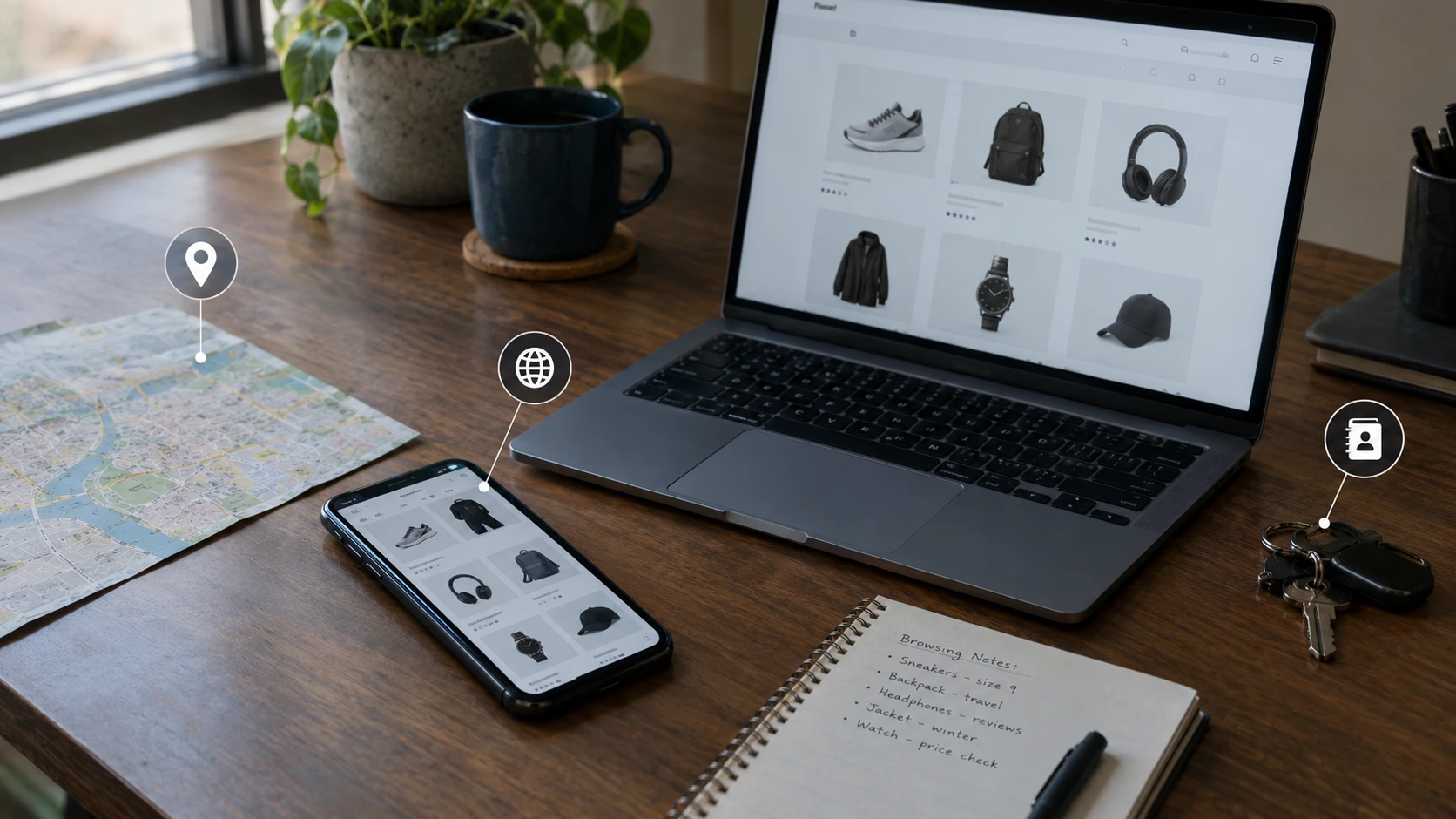
Companies can learn a lot about your interests without recording a single word. Here are four common ways information can be collected or used.
1. Your searches and website visits
If you search for running shoes, visit shopping websites, or watch shoe reviews, advertising systems may use those signals to show you related ads. Some tracking methods work across websites and apps, depending on the settings, technology, and permissions involved. Even private browsing does not hide everything. Here is what incognito mode does not hide. Websites can also learn a lot from what your browser shares on every visit, and blocking cookies alone does not stop all tracking.
2. Your location
Your location can reveal which shops, restaurants, or other places you visit. Apps may collect location data if you give them access, and some companies have collected or sold location information through advertising systems and other data sources.
The Federal Trade Commission’s action on sensitive location data explains why this information can be a serious privacy issue.
3. Your contacts and shared information
Some apps ask to access your contacts so you can find friends or invite people. This permission should match the app’s purpose. Contact access does not automatically mean an app is listening to your conversations, but it may reveal information about people you know.
4. Data brokers
A data broker is a company that collects information about people from different sources and sells or shares it with other businesses. Depending on the company and the data, this may include shopping interests, location records, or other details.
When different pieces of information are combined, advertisers may guess what you want before you search for it. Learn more in our dark web glossary, which explains privacy and online security terms in simple words.
Want data brokers to stop sharing your details? Our step-by-step guide shows how to remove personal information from the internet for free, including how to opt out of people-search sites.
How to Check Which Apps Can Use Your Microphone
The best way to check your own device is to check your settings. You do not need special software to review microphone access. Your phone already has settings that help you control it. The names may be a little different depending on your device and software version.

On an Android phone
- Open Settings on your phone.
- Look for Security and privacy or Privacy.
- Open Privacy dashboard, then choose Microphone if it is listed.
- Review which apps used the microphone and when.
- Go to Permission manager or the app’s Permissions page.
- Remove microphone access from apps that do not need it.
Google explains these steps in its official Android Privacy Dashboard guide. Some options depend on your Android version and phone maker.
On an iPhone
- Open Settings.
- Tap Privacy & Security.
- Choose Microphone.
- Review the apps listed there.
- Turn off access for apps that do not need it.
Apple also shows an orange indicator when an app uses the microphone without the camera. You can learn more in Apple’s microphone and camera privacy guide.
Remember: an app appearing in your permission list does not prove it has misused your microphone. It means you should decide whether that app really needs access.
Is my phone listening to me? 7 smart privacy checks
Want a clear answer for your own phone? Do these seven quick checks. Each one takes about a minute. Together, they help you answer “is my phone listening to me?” with facts instead of guesses.
- Look for the microphone dot. On an iPhone, an orange dot appears at the top of the screen when an app uses the microphone. On Android, a green microphone icon appears. If you see it when no app should be listening, open the control center or quick settings to see which app it is.
- Review microphone permissions. Open your phone’s permission list and look at every app that can use the microphone. A game, shopping app or flashlight app usually does not need it. Turn it off.
- Read your privacy report. On an iPhone, go to Settings, then Privacy & Security, then App Privacy Report. On Android, open the Privacy dashboard. Both show which apps used the microphone recently.
- Check your voice assistant. If you never use “Hey Siri” or “Hey Google”, turn the wake word off. You can also review and delete saved voice recordings in your Apple or Google account settings.
- Reset ad tracking. On Android, you can delete your advertising ID in the Ads settings. On an iPhone, turn off “Allow Apps to Request to Track” and Apple’s personalized ads. This makes ads less based on your past activity.
- Limit location access. Change apps from “Always” to “While Using” or “Never”. Location is one of the biggest reasons ads feel like your phone is listening.
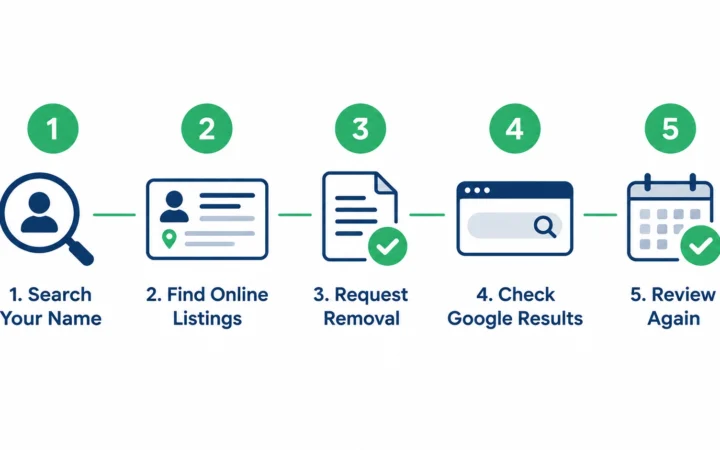
- See what is public about you. Search your own name online. People-search sites and data brokers can share your details with advertisers. Our guide on how to remove your information from people-search sites shows you how to opt out.
If all seven checks look clean, the answer to “is my phone listening to me?” is very likely no. The ads you see are more likely coming from tracking, searches and location data, not from your microphone.
How to Stop Your Phone From Tracking You So Much
If you are still worried, start with these steps. You may not be able to stop every form of tracking, but they can reduce the amount of information apps receive.
- Remove microphone access: Allow it only for apps that need to record sound, make calls, or use voice features.
- Limit location access: Choose access only while using an app when that option is available. Turn off precise location if the app does not need it.
- Review contact access: Remove permission from apps that do not need your address book.
- Limit ad tracking: Review the advertising and tracking options in your phone settings and in the apps you use.
- Check app privacy details: Read the app’s privacy information before installing it. Remove apps you no longer use.
- Keep your phone updated: Install system and app updates to get security fixes.
- Use trusted apps: Download apps from official stores and be careful with apps that request too many permissions.
Fake apps, fake shops, and fake profiles often try to grab more data than they need. Before you download an app or buy from a new store, learn how to tell if a website is fake. If a stranger sends you a link on social media, check these signs of a fake social media account first. You can also follow our list of the most important privacy settings to change today.
For more help, read Apple’s guide to controlling what you share or Google’s Android privacy guide. The exact settings depend on your phone.
What If You Think an App Is Recording You?
If you keep wondering “is my phone listening to me?”, start with the facts. Seeing a matching ad is not enough to prove that an app recorded your conversation. Instead, look for clear signs and take sensible steps.
- Check whether the microphone indicator appears when you are not using a feature that needs sound.
- Review your phone’s privacy dashboard or microphone permissions.
- Remove microphone access from apps that do not need it.
- Delete apps you do not trust and review their permissions again.
- Update your phone and avoid installing unknown apps or files.
If an indicator appears unexpectedly, it may have a normal cause, such as a voice assistant, call, or app feature. Check which app is active before assuming someone is spying on you.
Some people also worry that recordings or data from hacked apps could end up for sale on hidden websites. If you still find yourself asking “is my phone listening to me?” because of a data leak, it helps to understand that side of the internet too. Read is it safe to go on the dark web? for a simple, beginner-friendly explanation.
A Simple Test You Can Try at Home
Want to test your own phone? Try this easy experiment. It will not give a perfect answer, but it can help you think like a scientist.
- Pick a strange topic you have never searched for, like “purple camel saddles.”
- Talk about it out loud near your phone a few times over two days. Do not type it, search it, or click anything about it.
- Write down any ads you see about that topic.
- If no ads appear, that is a sign your ads come from other clues, not from your voice.
If you do see a matching ad, do not panic. Think about whether someone near you searched for the same thing on the same Wi-Fi. Then check your microphone settings using the steps above.
Myths vs. Facts: Is My Phone Listening to Me?
When people search “is my phone listening to me?”, they often find scary stories mixed with real facts. This table separates the two in simple words.
| Myth | Fact |
|---|---|
| My phone records everything I say all day. | Phones listen for wake words, but there is no strong public proof that they record every conversation for ads. |
| If I see an ad about something I said, my phone heard me. | The ad may come from searches, location, friends’ activity, or plain coincidence. |
| Turning off the microphone stops all tracking. | It only stops audio. Apps can still use your searches, location, and app activity. |
| Only spy apps can use the microphone. | Normal apps like chat, video, and voice note apps use it too, but only after you give permission. |
| There is nothing I can do about it. | You can remove app permissions, limit ad tracking, and delete apps you do not trust. |
Frequently Asked Questions
Is my phone listening to me for ads?
There is no strong public evidence that phones generally record every conversation to choose ads. Apps can use microphones when they have access, but ads can also be based on searches, website activity, location, and other data.
Why do I get ads for things I only talked about?
Advertisers can use many signals to predict your interests. The match may also be a coincidence. A personal-looking ad alone does not prove that your phone recorded you.
Can apps record audio without my permission?
Phone systems have controls that restrict microphone access, but no system can promise that every app is perfectly safe. Keep your phone updated, review permissions, and avoid apps you do not trust.
Does turning off the microphone stop all ad tracking?
No. Turning off microphone access can limit audio collection through that app, but it does not stop tracking based on your searches, location, website visits, or other information.
How can I tell if an app is using my microphone?
Check your phone’s microphone indicator and privacy settings. Android offers a Privacy Dashboard on supported devices, while iPhone shows microphone access in Privacy & Security settings.
Does Siri or Google Assistant listen all the time?
They listen for a short wake word, like “Hey Siri” or “Hey Google.” They are not meant to record or send your talk until they hear it. If you do not use voice assistants, you can turn off wake-word listening in your settings.
Should I put tape over my phone’s microphone?
Tape can make calls and voice notes sound bad, and it does not stop other kinds of tracking. A better step is to turn off microphone access for apps that do not need it.
The Bottom Line
So, is my phone listening to me? It is a fair question, but a surprising ad is not proof that your phone recorded your words.
Companies can learn a lot from searches, location data, app activity, and information shared by other businesses. Microphone access is still worth checking because it can affect your privacy.
The next time an ad feels too personal, take five minutes to review your app permissions, limit unnecessary tracking, and remove access that you do not need. Small changes can help you stay more in control of your personal information. The seven checks above are the quickest way to do it.
For more simple guides, visit our dark web glossary and dark web timeline. You can also read our sources and research policy to learn how we choose information for our articles.


Comments