

By Ehtijad Ali
Updated: October 2026
Reading time: about 11 minutes

Have you ever typed your own name into Google? Many people are shocked by what they see. Their phone number. Their home address. Sometimes even the names of their family members.
You did not post most of it. Websites collected it and put it online for anyone to find.
The good news is that you can fix a lot of this. This guide shows you how to remove personal information from the internet in five easy steps. It uses free tools first. It uses plain words. You do not need to be a tech expert.
One honest note before we start: no one can wipe you off the internet completely. But you can make your private details much harder for strangers to find.
What is in this guide?
How to remove personal information from the internet: the short answer
Here is the whole idea in a few lines:
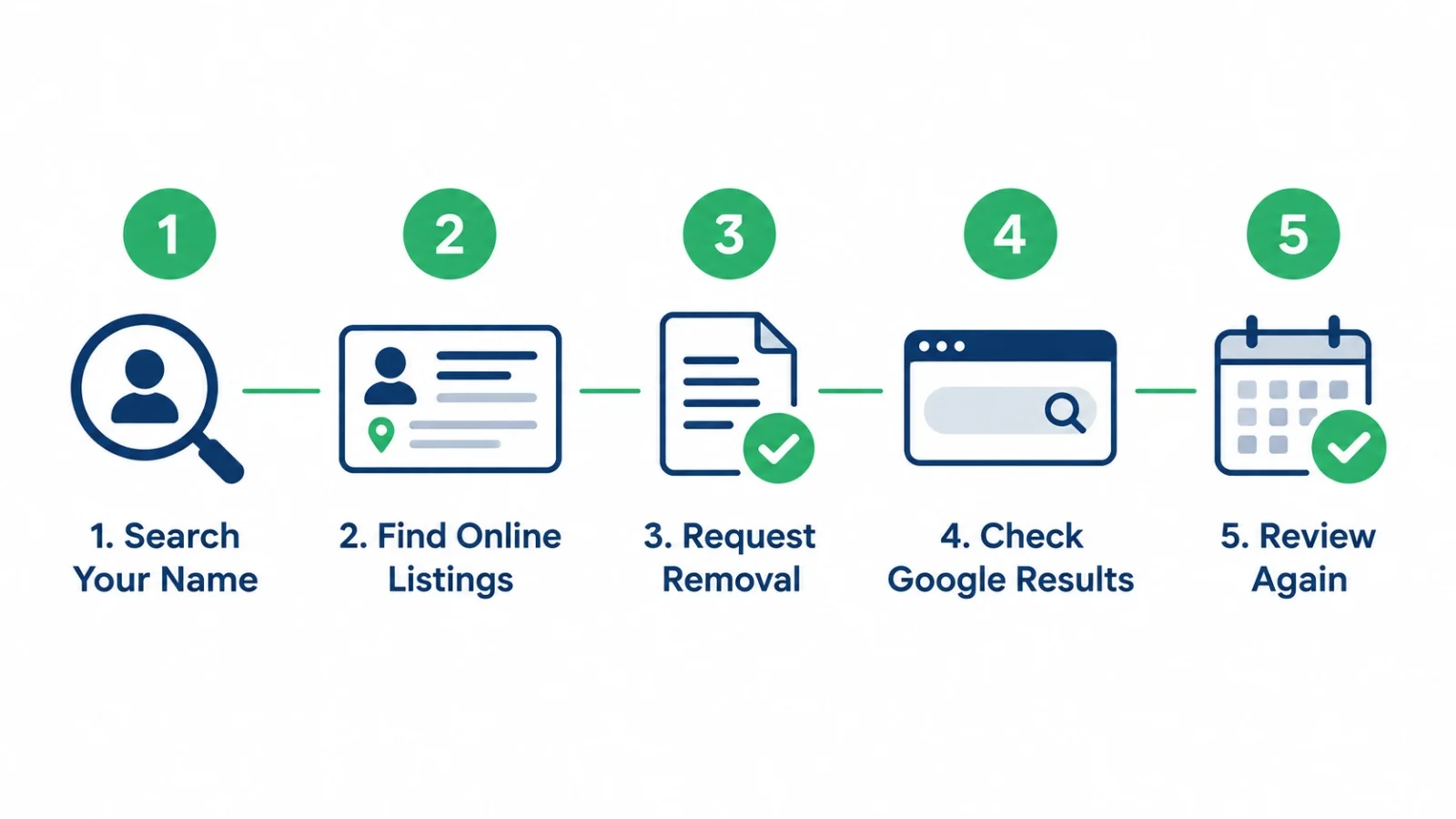
- Search your name to see what is out there.
- Make a list of every page that shows your private details.
- Ask each website to remove it. Most people-search sites have an opt-out form.
- Ask Google to hide the results with its free Results about you tool.
- Check again every few months, because some details come back.
Keep reading for the simple how-to for each step.
Why is my personal information online in the first place?
Think of the internet like a giant library that never throws anything away. Every time your name appears somewhere, a copy can stay there for years.
Here are the most common places your details come from:
- People-search sites. These websites let anyone type in a name and see an address, age, phone number and relatives.
- Data brokers. A data broker is a company that collects facts about people and sells them. People-search sites are one kind of data broker.
- Public records. In some countries, things like property records or court records can be seen by the public.
- Old accounts. A forum profile or social media page from years ago may still be live.
- Social media posts. A birthday post or a photo with your street sign can give away more than you think.
- Data breaches. When a company gets hacked, your email or phone number can leak out.
Data brokers then join these small pieces together. One site knows your old address. Another knows your phone number. Put together, they make a full profile about you.
The U.S. Federal Trade Commission explains how people-search sites sell your information and why many of them let you opt out.
New to words like “data broker” or “breach”? Our dark web glossary explains them in simple language.
Why does it matter if my details are online?
Most of the time, nothing bad happens. But the more details strangers can find, the easier some problems become:
- Scam calls and texts that use your real name to sound trustworthy.
- Phishing emails that mention where you live or work.
- Identity theft, where someone pretends to be you.
- SIM swap attacks, where a criminal uses your details to steal your phone number.
- Stalking or harassment, which is the most serious risk.
For example, a scammer who knows your mother’s name and your city can sound very convincing on the phone. Our guide on what to do in a SIM swap scam shows how criminals use small facts like these.
Leaked data can also end up for sale on hidden websites. If you are curious how that works, read deep web vs dark web: 7 simple differences and what hackers do with stolen data.
5 easy steps to remove personal information from the internet
These five steps match the picture at the top of this page. Do them in order. Grab a notebook or open a private note on your phone. You will use it in every step.
Step 1: Search your name on Google

Open Google and type your full name inside quotation marks, like this: “Sara Ahmed”. The quotation marks tell Google to look for that exact name.
If your name is common, add one more detail:
- Your city, like “Sara Ahmed” Lahore
- Your school or workplace
- Your phone number on its own
- Your email address on its own
- Old usernames you used in games or forums
Look at the first three pages of results, not just the first page. Also click the “Images” tab. Sometimes your photo shows up on a site you forgot about.
Want to dig deeper? Our list of free OSINT tools for beginners shows simple tools that find what is public about a name or email.
Step 2: Find and list every online listing
Now write down every page that shows something private. For each one, note:
- The website name
- The full web address (URL) of the page
- What it shows (address, phone, email, photo, relatives)
- The date you found it
This list is your to-do list. It also helps you check later if a page came back.
Tip: keep this list private. Do not post screenshots of your address online to “show” what you found.
While you are at it, check if your email showed up in a leak. Our guide on how to check if your email was in a data breach takes about two minutes.
Step 3: Ask each website to remove your information

This is the most important step when you want to remove personal information from the internet. Removing a page from Google only hides it. Removing it from the website itself takes it down at the source.
Here is how to remove your phone number and address from people search sites:
- Open the page that shows your profile.
- Scroll to the bottom. Look for links called “Opt out”, “Do not sell my info”, “Remove my info” or “Privacy”.
- Paste the address of your profile page into the form.
- Give only the details the form needs. Use a spare email address if you can.
- Click the confirmation link the site sends you.
- Mark the site as “requested” on your list, with the date.
Most sites remove a profile within a few days to a few weeks. Some ask you to confirm by email. A few make the process slow on purpose. Be patient and keep your list updated.
What about social media and old accounts? Log in and delete the old posts or the whole account. If you cannot log in anymore, use the site’s help page and ask them to close it.
What if a news site or blog posted about you? Contact the website owner politely. Explain what you want removed and why. They do not always have to agree, but many will help with private details like a home address.
Step 4: Check Google results and ask Google to hide them
Even after a website deletes your profile, Google may still show an old copy for a while. You can ask Google to remove personal information from search results in two simple ways:
- Results about you. Google’s free tool for removing results that show your phone number, home address, email or government ID numbers. More on this below.
- Remove outdated content. If a page has already changed but Google still shows the old text, use the Google Remove Outdated Content tool to ask for a refresh.
Google also has a help page that lists what kinds of personal information Google can remove from Search, such as bank numbers, signatures, private medical records and doxxing content.
Step 5: Review again every few months
This step is easy to forget, but it really matters. Data brokers keep buying new data. A profile you removed in January may pop back up in June.
If you want to remove personal information from the internet for good, set a reminder on your phone to repeat Steps 1 to 4 every three months. It usually takes much less time the second time because your list is already made.
How to use Google’s free Results about you tool
Results about you is a free Google tool. It looks for search results that show your contact details and helps you ask Google to remove them. It can also send you an alert when new results appear.
In February 2026, Google added government ID numbers to Results about you. That means it can now look for things like a driver’s license, passport or Social Security number. Google says more than 10 million people have used the tool. The ID feature started in the U.S., and Google says it plans to bring it to more regions.
Here is how to use it:
- Go to Google Results about you and sign in. In the Google app, tap your profile photo and choose “Results about you”.
- Add the details you want Google to watch for, such as your name, phone number, email and home address.
- Turn on alerts so Google tells you about new results.
- Review the results Google finds and tap “Request to remove” on the ones that show your private details.
- Check the status of your requests in the same place.
Remember: Google can only hide a page from its search results. The page itself can still exist on the website. That is why Step 3 comes first.
Laws that can help you delete your data
Depending on where you live, the law can make it easier to remove personal information from the internet. It may give you a right to ask companies to delete your data. Here are three well-known examples:
- Europe and the UK (GDPR). You have a “right to erasure”, also called the right to be forgotten. You can ask a company to delete your personal data in many cases. The UK regulator explains your right to get your data deleted.
- California (Delete Act and DROP). Since January 1, 2026, California residents can use DROP, the free Delete Request and Opt-out Platform. One request reaches hundreds of registered data brokers. From August 1, 2026, those brokers must check DROP at least once every 45 days and process the requests.
- Other places. Many U.S. states and countries have their own privacy laws. Check your local data protection authority’s website to see what rights you have.
If you live somewhere without these laws, you can still ask. Many websites remove data when you ask politely, even when they do not have to.
Free vs paid data removal services: which is better?
Some companies will remove personal information from the internet for you, for a yearly fee. They send opt-out requests to many people-search sites and check again later.
Here is a simple way to compare:
- Doing it yourself (free): costs only your time, gives you full control, but is slow if you appear on many sites.
- Paid service: saves time and repeats requests for you, but costs money and cannot promise that every site will listen.
Before you pay, ask three questions:
- Which sites do they cover? Is the list public?
- Do they re-check sites and send new requests when data comes back?
- What do they do with the personal data you give them?
For most people, the best plan is to start free. Use Google’s tool, do the biggest people-search sites by hand, and use DROP if you live in California. Pay only if you still see lots of results after that.
How to stop personal information from showing up online again
When you remove personal information from the internet, you have done only half the job. The other half is sharing less in the future. These small habits help a lot:
- Make social media accounts private and hide your birthday, phone number and email.
- Use a second email address for shopping, contests and newsletters.
- Do not share your full address on public posts, forms or reviews unless you must.
- Turn off location tags on photos before you post them.
- Delete old accounts you no longer use.
- Read privacy settings on new apps before you click “Allow”.
Our list of the 5 most important privacy settings to change today walks you through the quickest wins on your phone and accounts.
5 mistakes to avoid
Watch out for these common mistakes when you try to remove personal information from the internet:
- Only asking Google. Google hides the link, but the website still has your data. Ask the website too.
- Doing it once and forgetting. Profiles often come back. Check every few months.
- Sharing extra data in opt-out forms. Give only what the form needs.
- Clicking “removal” links in random emails. Scammers send fake removal offers. Go to the site directly instead.
- Paying for a service without checking it. Ask what they cover before you pay.
Questions people ask
Can I completely remove myself from the internet?
Not completely. Some records stay public, and copies can exist in places you cannot reach. But you can remove most of the easy-to-find details, which is what matters for everyday safety.
Can I remove personal information from the internet for free?
Yes. Opting out of people-search sites, deleting old accounts and using Google’s Results about you tool are all free. California residents can also use DROP for free.
How long does it take to remove personal information from the internet?
Many websites take a few days to a few weeks. Google usually reviews requests within days. Old copies in search results may take longer to disappear.
How do I remove my address from Google search?
First ask the website that shows your address to delete it. Then open Google’s Results about you tool and request removal of the result. Both steps together work best.
Why does my information keep coming back?
Data brokers buy and share new data all the time. A site may add you again from a fresh source. That is why checking every three months is important.
Is it safe to give my details to an opt-out form?
Usually, yes, if you are on the real website. Type the website address yourself instead of clicking links in emails. Share only the details the form asks for.
Helpful links
- DeepHiDX: how to check if your email was in a data breach
- DeepHiDX: 5 most important privacy settings to change today
- DeepHiDX: deep web vs dark web explained simply
- DeepHiDX dark web glossary
- Google Help: remove personal information from Google Search
- FTC: what to know about people-search sites
- California Privacy Protection Agency: DROP
- ICO: your right to get your data deleted
The short version
Here is everything above in a few lines you can share with a friend.
Your personal details are online mostly because people-search sites and data brokers collect them. You can fight back.
Search your name. List what you find. Ask each website to remove it. Ask Google to hide what is left. Then check again every few months.
That is how you remove personal information from the internet: one small step at a time, and mostly for free.




Comments